 Digital Banking

Shopping online offers many conveniences, but it can also make you an easy target for scammers. Online Shopping Scams are another way for fraudsters to trick you into providing payment for goods or services when shopping online. Fraudsters will often send phony confirmation emails in an effort to seem legitimate and then the item will never be delivered. We’ve prepared some tips to help you shop safely online.
- VERIFY THE WEBSITE — Fraudsters will create fake websites
in an effort to steal your banking information. If you are not familiar with the website or
retailer, do not purchase from their website.
-
- USE SECURE
WEBSITES — Before searching for products, make
sure you are using a secure website. The Federal Trade Commission (FTC) recommends
shopping only on websites with addresses that start with “https” because this indicates
that the browser and server establish a secure, encrypted connection before transferring
data. Also, look for the lock symbol in the address bar at the top of your internet
browser:
- USE SECURE
WEBSITES — Before searching for products, make
sure you are using a secure website. The Federal Trade Commission (FTC) recommends
shopping only on websites with addresses that start with “https” because this indicates
that the browser and server establish a secure, encrypted connection before transferring
data. Also, look for the lock symbol in the address bar at the top of your internet
browser:
- BE SKEPTICAL OF ADS ON
SOCIAL MEDIA — Advertisements for goods- like clothing, luxury items, handbags,
equipment, housewares etc. that are marketed through social media (Instagram, Facebook, TikTok) will
often direct buyers to fake websites. It may seem like a great deal or a special sale specific to
one of these sites, but it is actually a ploy to get you to click and spend money.
- RESEARCH THE SELLER — Before adding the item to your cart,
make sure you read the reviews about the product on different websites. A good practice is to do
online research of the company or seller before you make any purchase. You can type ‘scam’ or
‘complaint’ after the name of the company into a search engine to see if there are any complaints or
reports about the seller.
- DO NOT PAY WITH GUARANTEED METHODS — Be especially
cautious of any website requesting payment through an unconventional payment method. P2P services
like Zelle, Venmo, Cash App etc. or other services like wire transfers should never be used.
Legitimate retailers will never accept payment through these channels and will never ask you to
provide your bank account details (such as full account numbers and routing
information).
- PAY WITH YOUR BANKFUND CREDIT
CARD — Use your BankFund Credit Card to
pay for your purchases. It’s safer and BankFund will guide you on how to dispute a charge you
don’t recognize, or how to proceed if you don’t receive the product.
- REVIEW THE URL
— Fraudsters create duplicate websites of retailers that you know and shop at regularly (for
example, Amazon). Their dupe websites will have slight differences from the legitimate websites- for
example, a slight misspelling of the name (using 0’s instead of the letter ‘O’) or have logos and
branding or colors that slightly differ from the real website. Their goal is to have you quickly make
a purchase before realizing it is not the real site.
- ASK YOURSELF — If an
item is unusually inexpensive or is an especially attractive offer, ask yourself, is it reasonable for
this item to cost this much? If the price of an item or offer seems too good to be true, odds are that
it is. Retailers will have clear ‘Sale’ or ‘Clearance’ sections on their website.
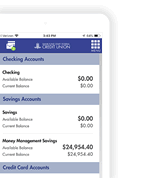
- REVIEW YOUR TRANSACTIONS AND STATEMENTS — Use your BankFund Digital Banking and your BankFund Cards App to review your transactions and statements. Report any discrepancies or unauthorized purchases by sending us a secure message through Digital Banking.